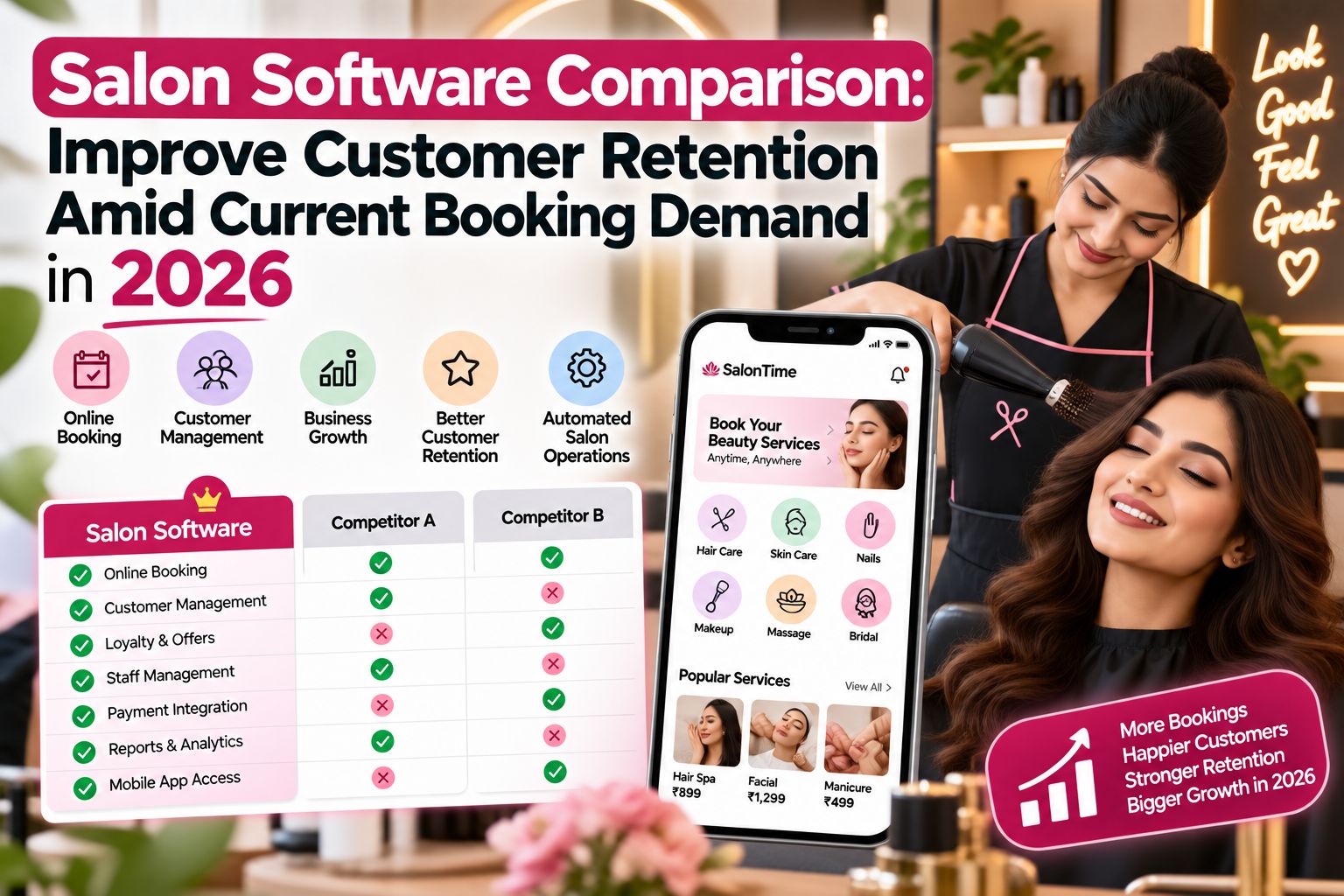


A salon software comparison for 2026 should help you judge any platform against your own retention goals, not hand you a ranked list or a vendor verdict. This article gives you a neutral evaluation method. You will look at three dimensions: booking management, client retention tools for salons, and reporting. The practical outcome is a shortlist you can test, and a clear sense of where software stops and salon habits begin.
It is a framework, not a ranking. No vendor is named or scored here. Treat every claim you read about a platform, including this one, as something to confirm in vendor documentation and official product pages before you decide.
Start With Your Own Retention Goal, Not the Software
A useful salon software comparison begins with a number you already own. Decide what you want to change before you open a single demo. You might want more clients rebooking their next visit before they leave the chair. You might want fewer no-shows on high-value appointments. You might want front desk staff to answer the phone during a rush instead of chasing confirmations by hand.
Write that goal down in one sentence, with a rough target and a time frame. For example: half of clients booking a colour service leave with their next appointment already scheduled. Once that sentence exists, every platform question becomes simpler, because you are testing whether the software supports that specific habit.
This is also where many comparisons go wrong. Owners shortlist tools first, then look for a problem the tool solves. That order invites feature lists that look impressive and get used twice. Start from the habit, then find the tool that carries it.
The Three Dimensions Worth Testing in a Demo
Keep the evaluation to three dimensions and test each one the same way in every demo.
Booking management covers how a slot is created, moved, and confirmed. Ask the vendor to show a same-day reschedule without leaving the calendar screen. Watch how a waitlist is handled when a preferred stylist is full. Count the clicks out loud. If the receptionist beside you looks lost during the demo, slow it down, because that is how the tool will feel on a Saturday.
Client retention tools covers reminders, follow-ups, and rebooking prompts. Ask what a client receives after a treatment and when it goes out. Ask whether a follow-up can reference the last service. Ask what happens when a client ignores two reminders in a row. The answers tell you whether follow-up is automatic or left to staff memory.
Reporting covers what you can see after the month ends. Ask for a repeat-visit view, not just a revenue total. Ask whether you can see clients who visited once and never returned. Ask whether the report can be read by someone who is not a numbers person. Reporting is often the weakest part of the demo, so give it the most time.
One operational detail worth watching: ask where client history sits during a call. Past services, patch tests, and product reactions should be visible on one screen while the client is talking. If staff have to open a second window to find a note, personalisation will quietly disappear during busy hours.
A Short Worked Example of Running the Evaluation
Picture a mid-size salon with two receptionists and six stylists. The owner wants to lift repeat visits among hair spa clients. She writes her goal down, then books three demos in the same week and runs the same script in each one.
For booking management, she asks each vendor to move a pre-event grooming appointment to the next available slot with a different stylist. She times it. For retention tools, she asks what message a hair spa client gets seven days after the visit, and whether it can mention the service. For reporting, she asks to see a list of clients who visited twice or more in the last three months.
She writes the answers in one table on paper, one column per vendor. After three demos she has a comparison that reflects her salon, not a brochure. She also notes one softer signal in each session: how often the trainer said the word "usually" when describing reminders, because that often means the behaviour depends on setup rather than the product doing it for her.
The same approach works if you are weighing a vendor with a managed-review workflow against one where you configure everything yourself. Compare only what you can verify in the demo: who sets up the follow-up sequence, who fixes it when a message stops sending, and what support looks like in the first month. Those are neutral questions with observable answers.
Where Software Stops and Salon Habits Begin
A decision boundary matters here. Software can carry a reminder, show a history note, and prompt a rebooking at checkout. It cannot improve a consultation, correct aftercare advice, or repair a result the client was unhappy with.
If repeat visits fall while the system is being used properly, the cause sits outside the platform. Look at consultation quality, treatment outcomes, and whether staff have the time to talk through aftercare. No booking tool fixes a weak handover at the chair. When you reach that point, the honest conclusion is that the software question is settled and the service question is not.
Set this boundary before you buy, because it protects you from two expensive mistakes: switching platforms repeatedly in search of a fix that lives elsewhere, and keeping an underused system because changing it feels like admitting the money was wasted. Judge adoption by daily use, not by contracted features.
Before finalising anything, ask each vendor for written documentation on how data transfers, what training is included, and how reminders are configured. Confirm the same three details on the official product page. A method you can repeat in every future review is worth more than any single choice you make this year.
Practical Checks Before You Sign
Write your retention goal as one sentence with a rough target and a time frame, then use it to filter every demo you take.
Test a same-day reschedule live in the calendar, and count the steps out loud. If it takes more than a few actions during a quiet demo, it will take longer on a busy floor.
Trace one reminder end to end. Ask who writes it, what triggers it, and what happens when a client ignores it twice. Setup responsibility is the detail most owners forget to confirm.
Ask for a repeat-visit report, not a revenue summary, and check whether you can actually read it without help. Reporting is where comparisons are usually decided.
Check client history on one screen during a simulated call. If staff need a second window, expect personalised follow-up to fade during peak hours.
Set a review date about one full service cycle away. Judge the switch then. If usage is consistent and repeat visits still fall, look at consultation and aftercare rather than the platform.
Written by: Parlour Time Editorial Desk
Published: 24 September 2026, 09:24 PM IST | Updated: 24 September 2026, 09:24 PM IST
Powered by: Parlour Time