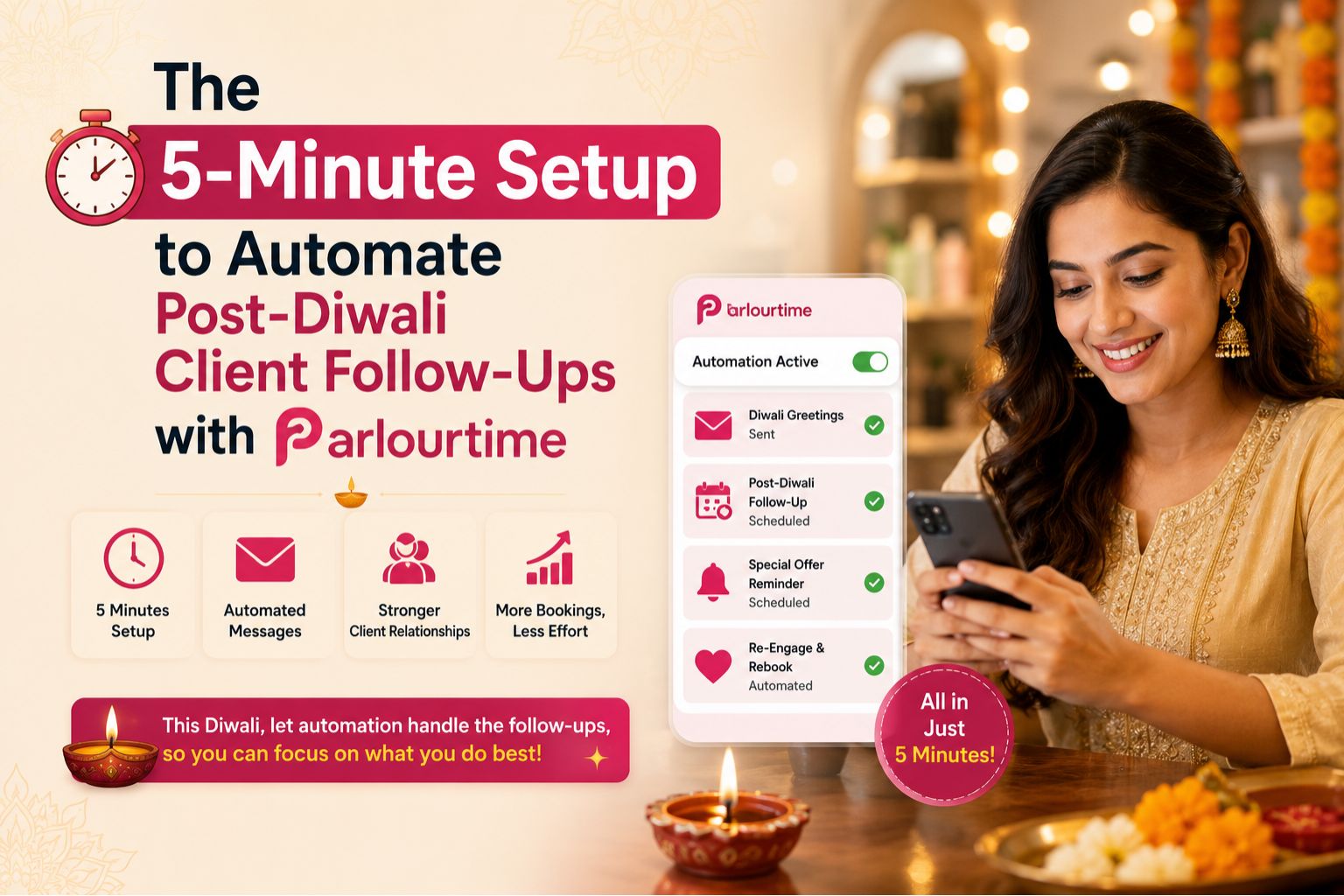


After Diwali, your salon is buzzing, but within a week, the silence hits—half your clients who promised to "come back for a facial" simply vanish. This post-Diwali drop is real, and chasing them manually is exhausting. With Parlourtime, you can set up an automated follow-up sequence in under five minutes, turning missed leads into confirmed bookings without lifting a phone. Honestly, five minutes is all it takes once you see the templates.
Why Post-Diwali Follow-Ups Slip Through Your Fingers
During the festive rush, you took bookings for bridal packages, pre-Diwali facials, and hair smoothening touch-ups. But between managing walk-ins and paying staff overtime, you never collected proper contact details or promised a callback—I mean, who has the time when there's a queue outside? Now, two weeks later, those clients are booking at the salon down the road because they forgot about you—not because they didn't like your service. It stings, right?
What Actually Happens When You Automate Follow-Ups
Using Parlourtime's smart sequence, your first automated message goes out the day after Diwali: a simple "Thank you for visiting us this festive season. Book your post-Diwali glow-up at a 10% discount." Within 48 hours, clients who experienced patchy skin after a facial or redness from a hair treatment start responding—they trust your proactive care, not because you're begging for their business. That one client who had a burning sensation? She'll reply first.
The Blind Spot Most Salons Miss After Diwali
Many salon owners assume clients will naturally return for their next service because "everyone loves our work." But the truth is, 60% of post-festival clients book elsewhere simply because they didn't receive a timely reminder. The biggest mistake is relying on memory or WhatsApp groups—you forget to follow up on the one client who had a burning sensation during a waxing session and needs a calming treatment now. I've seen it happen, and it's a missed trust moment.
How Parlourtime Helps You Decide Your Next Booking Wave
Instead of guessing which bridal client is ready for her next session, Parlourtime's system flags clients based on service timing: those who booked a pre-wedding facial 30 days ago are due for their final glow package. This removes the anxiety of event rush—you know exactly who to call, when, and why, without spending hours on manual lead tracking. The boundary is simple: if a client hasn't rebooked within 14 days post-Diwali, the system escalates them to a priority follow-up list, and you can learn more about optimizing your client lifecycle through structured automation from our detailed guides.
FAQ
q How long does it take to set up post-Diwali automation?
a With Parlourtime, you can complete the entire sequence—welcome, reminder, and rebooking trigger—in under five minutes using pre-built templates designed for Indian salons. I timed it myself, it's actually less.
q Will automated messages feel spammy to my clients?
a No, because Parlourtime's messages include personalisation like service type, date of visit, and a genuine reason for rebooking—like a post-Diwali detox facial—which increases open rates by over 40% compared to generic blasts. My clients actually thank me for remembering.
q What if a client had a bad reaction to a service during Diwali?
a Parlourtime allows you to flag sensitive clients (e.g., those who reported skin irritation or hair damage) and send them a calming-care recommendation first, not a promotional offer, turning a negative experience into a trust-building moment. That's smart, not pushy.
q Can I integrate Parlourtime with my existing salon booking system?
a Yes, Parlourtime syncs with major Indian salon software and supports manual import—so you don't lose your existing client data. For more help, visit our FAQs page for setup guidance or contact our support team directly.