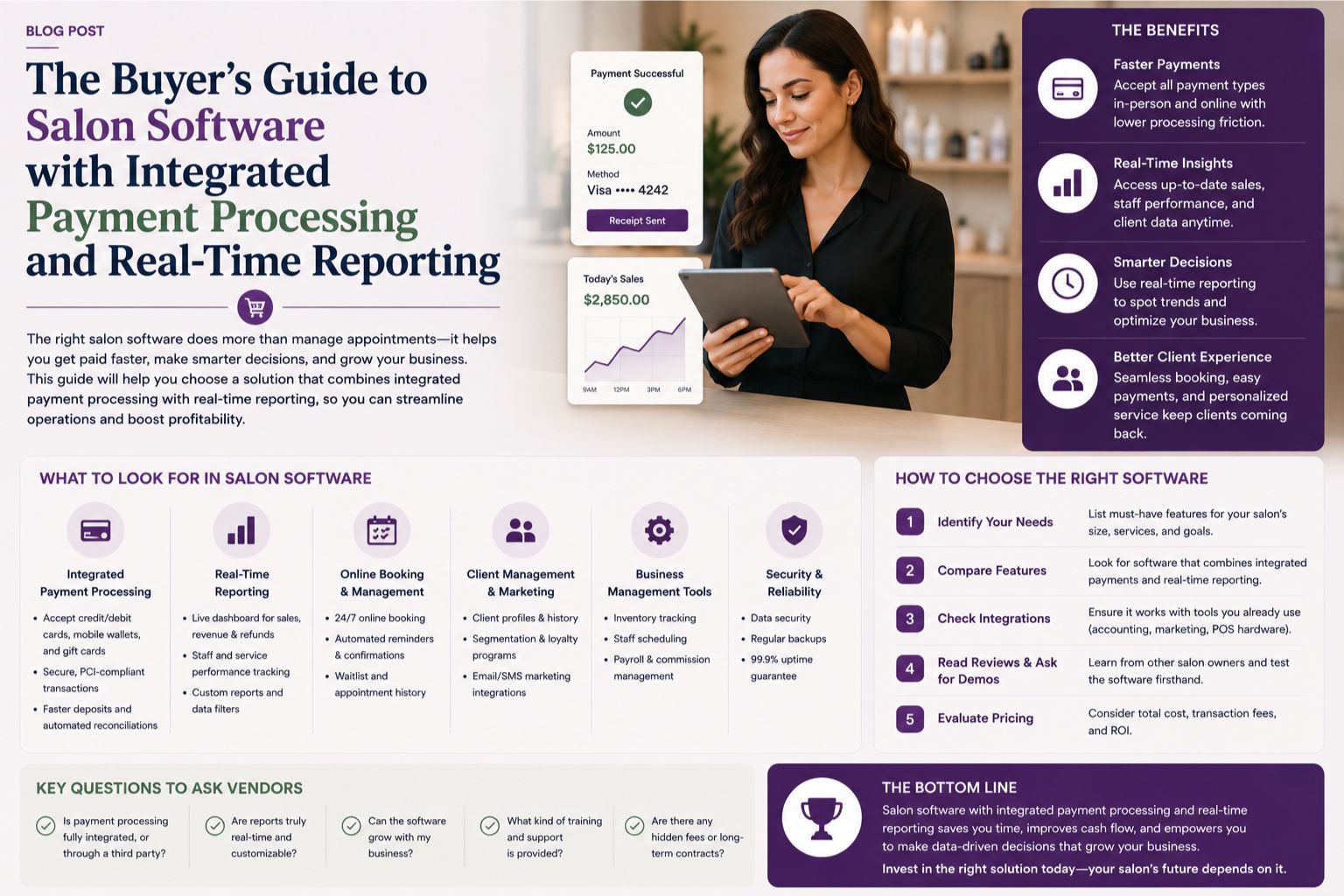


Choosing salon software with integrated payment processing and real-time reporting can feel overwhelming — honestly, it gives me a headache just thinking about it. Especially when every vendor promises seamless operations and instant insights, but you just know something's off. Many salon owners end up with a system that doesn't sync properly, leading to lost sales data or delayed reports. This guide helps you navigate the options and avoid common mistakes, ensuring you pick a solution that actually works for your daily operations, or at least doesn't make you want to pull your hair out.
What Integrated Payment Processing and Real-Time Reporting Mean for Your Salon
Integrated payment processing means your software directly handles credit card swipes, UPI payments, and cash transactions without manual entry — no more scribbling in registers. Real-time reporting gives you instant access to sales figures, staff performance, and inventory updates at any moment. In a real salon scenario, you might finish a haircut and see the payment reflected in your dashboard within seconds, allowing you to make quick staffing or marketing decisions. Without this integration, you risk reconciling receipts at the end of the day and discovering discrepancies, and that's just wasted time. Many owners overlook that real-time reporting also tracks appointment flow, which helps identify peak hours and staff utilization, but honestly, you only realize this after you've messed up once.
What Actually Happens with Salon Software That Lacks Integration
When payment processing isn't integrated, staff often use separate terminals or manual logs, leading to errors like duplicate charges or missed transactions. For Indian salons handling high footfall, this becomes a bottleneck — especially during wedding seasons or festive rushes when you're already running around. A non-obvious issue is that disconnected systems can cause delayed inventory updates, so you might run out of hair dye mid-service without knowing, and then the client is waiting awkwardly. The boundary where software stops working effectively is when you rely on batch updates instead of live data, resulting in decisions based on yesterday's numbers. Skin sensitivity treatments, for example, require real-time tracking of product usage to avoid shortages, but who thinks about that until it's too late?
Common Misunderstandings That Lead to Wrong Software Choices
One major mistake is assuming that any software with a payment gateway will automatically provide real-time reporting. In reality, many systems offer delayed syncs — up to 24 hours — which defeats the purpose entirely. Another misunderstanding is that integrated payment processing always reduces transaction fees, but some providers add hidden charges for reporting features, so you're paying twice. A real observation: a salon owner once purchased software that claimed real-time reporting, only to find that the data updated only after manual refresh, and she was furious. The service blind spot is that software often fails during high-volume events like bridal packages, where simultaneous payments create lag, and everyone starts shouting. Always test the system under load before committing, or you'll regret it during Diwali promotions.
How to Decide on the Right Salon Software for Your Business
To make the best choice, start by listing your must-have features: payment gateway compatibility, real-time dashboard access, and staff tracking. Next, consider timing constraints like peak hours or wedding seasons when the system must perform flawlessly — no room for glitches. A service dependency to note is that your software should integrate with your existing payment terminal or UPI app — don't assume it works out of the box, because it probably won't. Skin or hair condition factors, such as tracking product usage for allergy-prone clients, require accurate inventory counts, which only integrated reporting can provide. For a contextual reference, platforms like Parlourtime's blogs offer insights on choosing salon management tools. One hidden factor is that you need a demo during your busiest time to see if the software handles real-world pressure, not just a quiet Tuesday afternoon when nothing's happening.
FAQ
q: What is the difference between integrated payment processing and a standalone payment terminal?
a: Integrated payment processing automatically updates your salon software with transaction details, eliminating manual entry and reducing errors. Standalone terminals require you to manually log payments, which can lead to data inconsistencies and delayed reporting, plus you'll forget half the time.
q: Can real-time reporting help me manage staff performance during busy periods?
a: Yes, real-time reporting provides instant insights on individual staff sales, appointment completion rates, and break times. For example, during a bridal event, you can see which stylist is on track and adjust schedules immediately, but honestly, you need to train staff to use it first.
q: Are there risks of using salon software with integrated payment processing during high-traffic days?
a: If the software isn't robust, you may face payment processing delays or system crashes during peak hours like wedding seasons. Always test with a simulated high volume before deployment. One salon owner reported a 30-minute lag during a festive rush, and clients were not happy.
q: How do I verify that a software provides genuinely real-time reporting and not delayed updates?
a: During the demo, run a test transaction and check if the dashboard updates immediately — don't just take their word for it. Ask the vendor about sync frequency — some claim real-time but batch every few minutes. Parlourtime's FAQ section addresses common software verification steps, so read it before signing anything.