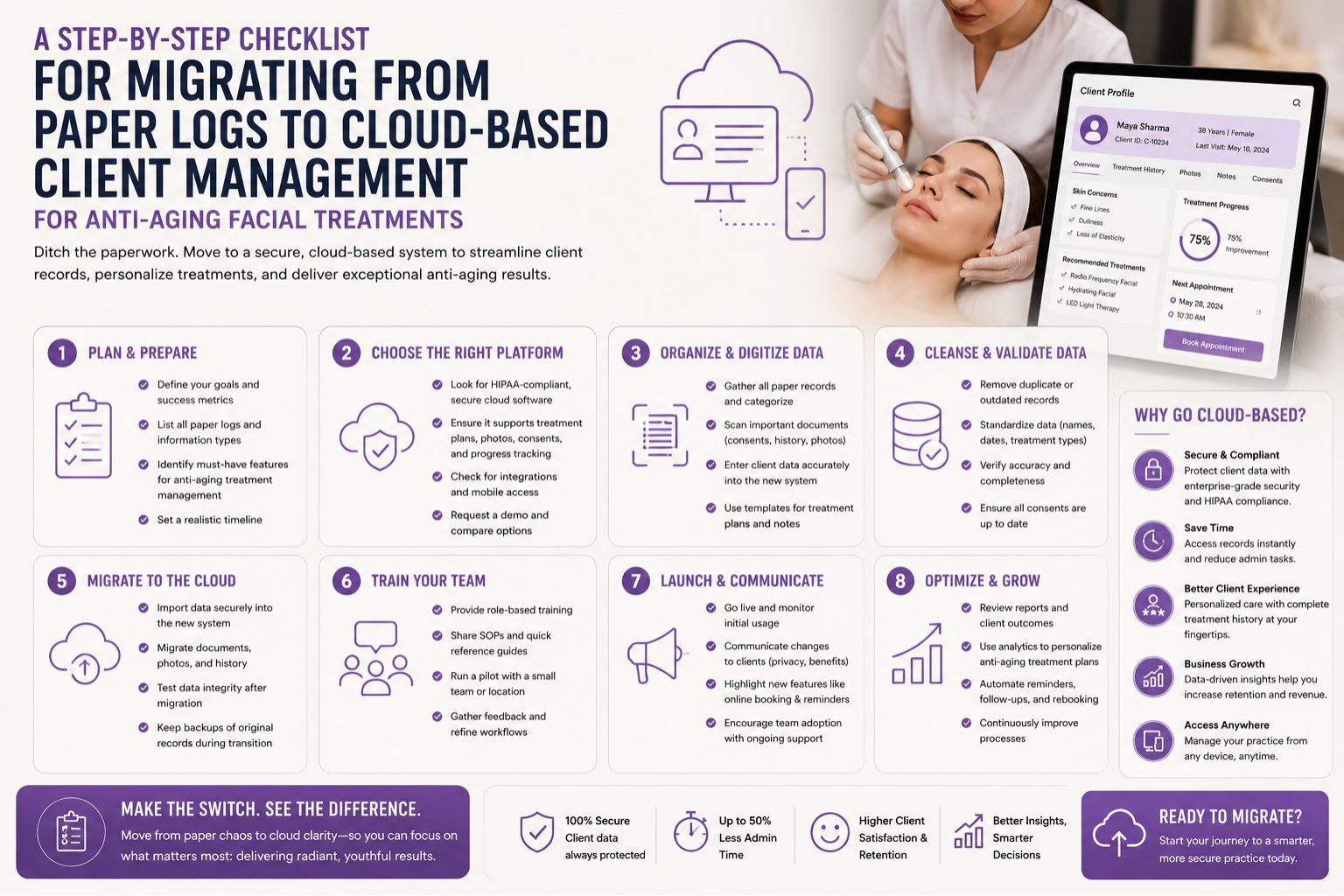


Moving away from paper logs to cloud-based client management for anti-aging facial treatments can feel overwhelming, especially when you have years of handwritten notes on skin types, product reactions, and appointment histories. The real fear isn't the technology—it's losing critical client data or mismanaging a treatment schedule during the transition. This checklist helps you navigate the shift without compromising your service quality or client trust.
What This Migration Really Means for Your Salon Workflow
Paper logs in a busy anti-aging facial practice often lead to missed details like a client's specific sensitivity to vitamin C serums or the exact date of their last microneedling session. When you switch to a cloud system, you are digitizing not just names and numbers, but the clinical memory of each skin journey. One salon owner I spoke to noticed that paper records frequently had gaps in the "product patch test" field, which caused delayed reactions during LED light therapy sessions. The cloud system automatically flags these gaps, giving your team a clearer picture before each treatment begins.
Reality Check: What Actually Happens During Data Transfer for Indian Skin Types
During the data entry phase, most salons overlook the need to categorize skin concerns common in Indian clients, such as pigmentation patterns or sensitivity to glycolic acid peels. A common mistake is simply copying notes verbatim from paper without standardizing terms like "tan removal" or "glow boost" into searchable tags. One beauty tech noted that after migrating, they couldn't find clients who needed specific pre-bridal anti-aging routines because the paper logs used informal language. A non-obvious detail is that paper logs often lack a "not suitable for" field; cloud systems can store this, preventing accidental use of contraindicated serums.
The Mistake: Assuming Cloud Management Fixes All Scheduling Errors
Many salon owners believe moving to cloud software will automatically solve double-booking or treatment timing issues for anti-aging facials. In reality, the system only works if you map out the exact duration of each step—like the 15-minute wait time for a collagen mask or the 20-minute cool-down after a radiofrequency session. Without this, your new system mirrors the chaos of your paper log, just in digital form. A common misunderstanding is that the cloud will predict skin downtime, but boundary comes when the system doesn't account for a client's real-time reaction, like redness after a laser facial, which still needs a human judgment call.
Decision Help: How Clients and Therapists Choose Timing for the Switch
The best moment to migrate is during a slow season, such as the monsoon months when facial appointments drop by nearly 30% in many Indian salons. Begin by running your paper system and cloud system side-by-side for two weeks to catch data entry errors. Prioritize clients with upcoming bridal preparations or those on aggressive anti-aging treatment plans, as their records are most sensitive. For a smoother transition, consider checking resources like beauty service timing guides to align your new scheduling with industry standards. This phased approach reduces the risk of losing any crucial treatment history.
FAQ
q How long does it take to transfer old client data from paper logs to a cloud system?
a For a salon with 200 active clients, expect the initial data entry to take about 10 hours, but full integration with treatment history and product allergies needs an additional week of cross-checking. Honestly, our receptionist took longer because some handwriting was illegible.
q What is the biggest risk of data loss during the migration of anti-aging facial records?
a The highest risk is incorrectly copying skin sensitivity notes, which can lead to using harsh acids on already irritated skin during the first post-migration appointment, causing burns.
q Can I keep my old paper logs after moving to the cloud?
a Yes, store them for at least six months in a locked cabinet as a backup for legal reasons and to verify any missing client consent forms for chemical peels.
q How do I ensure my staff adopts the new cloud system without resistance for anti-aging facial booking?
a Start by using the cloud for new client registrations only for two weeks, then schedule a training session on parlourtime to build familiarity before the full switch. Don't expect them to love it overnight—some of my therapists still sneak paper notes for "quick reference."